Where I left off
Quick recap for anyone just landing here. I’m trying to bring back Fury, a game that switched its servers off in 2008. All I have is the “client”, which is the part of the game that lives on your PC: the graphics, the sounds, the menus. The other half, the “server”, is the computer at the company’s end that everyone connects to. It handles logging in, matchmaking, keeping score, all of that. Nobody has the server. It’s gone. So the whole project is: rebuild that missing half from scratch, using the client as the only clue for how it’s supposed to behave.
Last post an AI code audit ripped up my original plan and handed me a short list of dumb little experiments to run first. This post is me actually running them. Got through about half. It went two very different directions.
What I tried
Bit of housekeeping first, because it ate an hour.
I copied the entire game (about 6.5 GB) off to a scratch folder so there was no way to accidentally wreck the original. Everything from here runs out of that copy.
Then the log fought me. When the game runs it keeps a “log”, a running text diary of what it’s doing, which is the main way you see inside a program that has no other way of talking to you. Problem: Fury keeps that diary in memory and only writes it to a file when it shuts down nicely. If you just kill the game, you get an empty file and learn nothing. So I wrote a little script that starts the game, waits, then politely asks it to close and gives it time to finish writing.
[SIDE NOTE] there’s an option you can pass the game called -log that opens a
live diary window while it runs. Do not use it. If that window ever goes into
“select text” mode, which is one stray click, Windows freezes the whole game the
next time it tries to write a line. I lost a while to that one. Turned it off,
used a different option, moved on.
Okay. Down the list.
Does a game from 2008 even run on Windows 11?
Yep. First try.
I genuinely didn’t expect that. This thing was built in April 2008, for Windows XP. That’s three Windows ago. I ran it with no special settings, no compatibility-mode tricks, nothing. It opened, wrote its version number to the log (build 35256), sat there running happily for a minute, and closed clean when I asked. It didn’t create a single file outside its own log folder. Didn’t change any settings.
With no instructions it just shows a black window, because it goes looking for a starting area that isn’t included in this copy and falls back to an empty one. That’s fine, that’s expected. Normally the game’s launcher tells it which area to load, so I did that part by hand instead.
Does an actual part of the game load, with nothing behind it?
I told it to load AVA_Creation, which is the make-your-character screen, and
gave it the same startup settings the real launcher would use. This is what came
up:
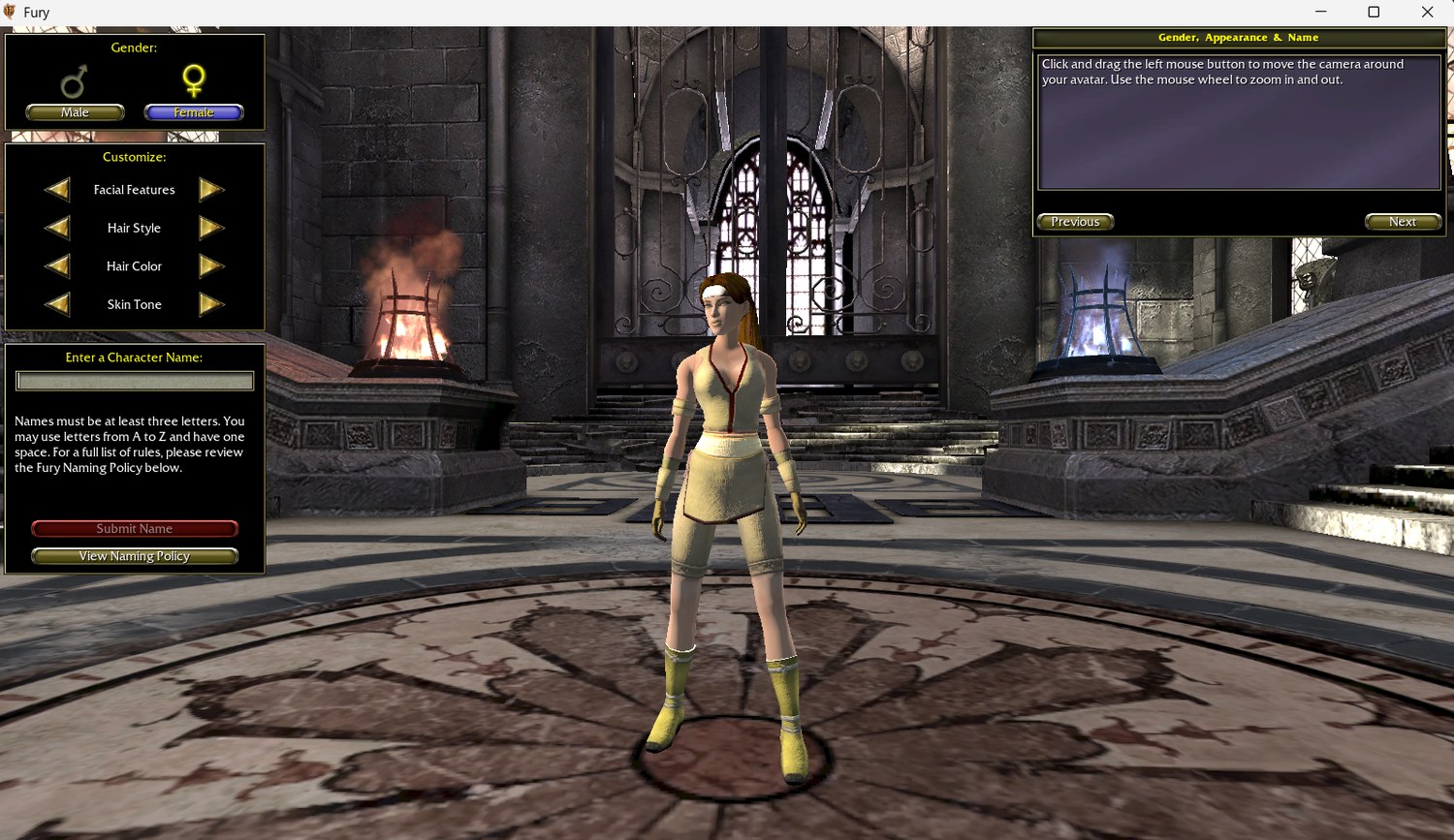
That’s the whole Fury character creator. On my desktop. In 2026. With no server anywhere, because I never started one.
You get the character standing there breathing, the male/female pick, the sliders for face and hair, the name box with the naming rules, and the little scripted intro cutscene that plays first:
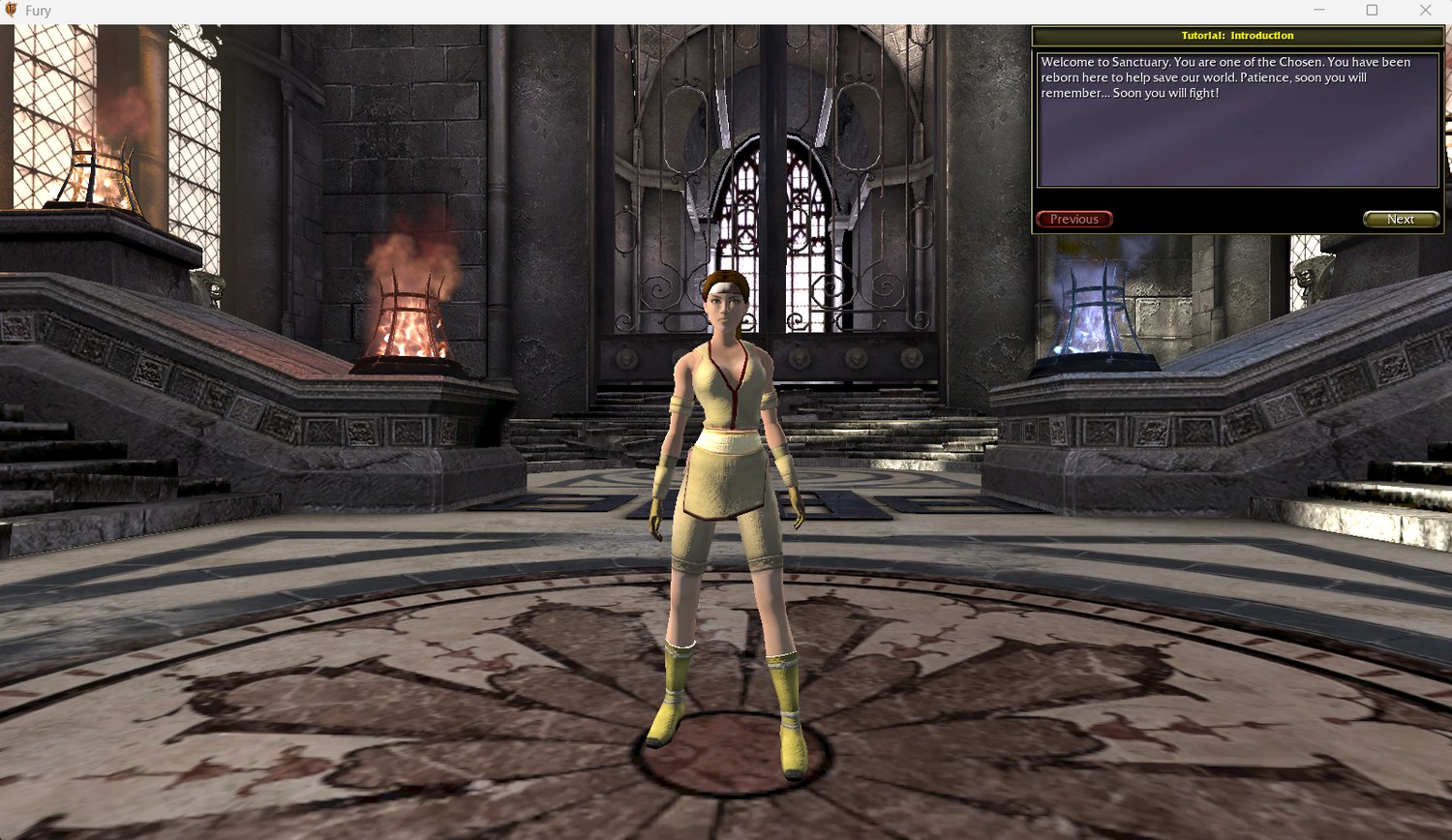
And the log lines up with the picture. In its diary the game says it started up its own login sequence, checked the command line for a username and password (both blank, it shrugged and carried on), ran the whole “log this player in” routine with nobody on the other end, and dropped me into the character screen.
Here’s why that’s a big deal. A game like this is written in two languages. Most of the gameplay is in a scripting language, which is basically the readable, moddable layer, and there are tools that can turn it back into something close to the original source code. Underneath that is the engine, written in C++ and compiled down to raw machine code, which is a nightmare to read back. “The login stuff is all down in the C++ where I can’t see it” was one of my big fears going in. And here’s a decent slice of the login actually happening up in the readable layer, running fine, on its own. Not the network part. But more than I’d hoped.
[SIDE NOTE] “Why not just crack open Fury.exe itself and read that?” It’s a
fair question, and there’s a whole discipline for it. The tools are things like
Ghidra (free, written by the NSA of all people) and IDA Pro (pricey, the
industry standard). You point one at a program and it turns the raw machine code
back into something vaguely C-shaped. The problem is “vaguely”. Compiling a
program throws away everything a human put there to make it make sense: the
names, the comments, the structure. What you get back is thousands of functions
called sub_1400A3F20 full of *(a1 + 0x88), and you get to work out what all
of that meant, by hand, for a whole game engine. Months to years.
The compiled script is a totally different animal. UnrealScript doesn’t compile to machine code, it compiles to bytecode for the engine’s own little built-in virtual machine, and that format keeps the class names, the function boundaries, the structure, nearly all of it. Decompiling it gets you maybe 90% of the way back to what the developer typed. So the rule for this project is: anything Auran wrote in script, I can basically read. Anything down in Epic’s C++ engine, I mostly can’t, and I only go in there with a disassembler as a last resort, for one specific thing I can’t get any other way. The good news that keeps happening is that the stuff I need is up in the script.
What broke (or what I didn’t expect)
Everything else on the list. And it all broke the exact same way, which is almost impressive.
Bit of background. The game is one program that can run in different modes
depending on the first word you type after its name. Fury.exe server is
supposed to boot it up as a server. Fury.exe editor opens the level editor, the
tool the devs built the game’s areas in. Fury.exe make rebuilds the game’s
script code. These special modes have a name, they’re called commandlets. On a
normal game built with this engine, they just work.
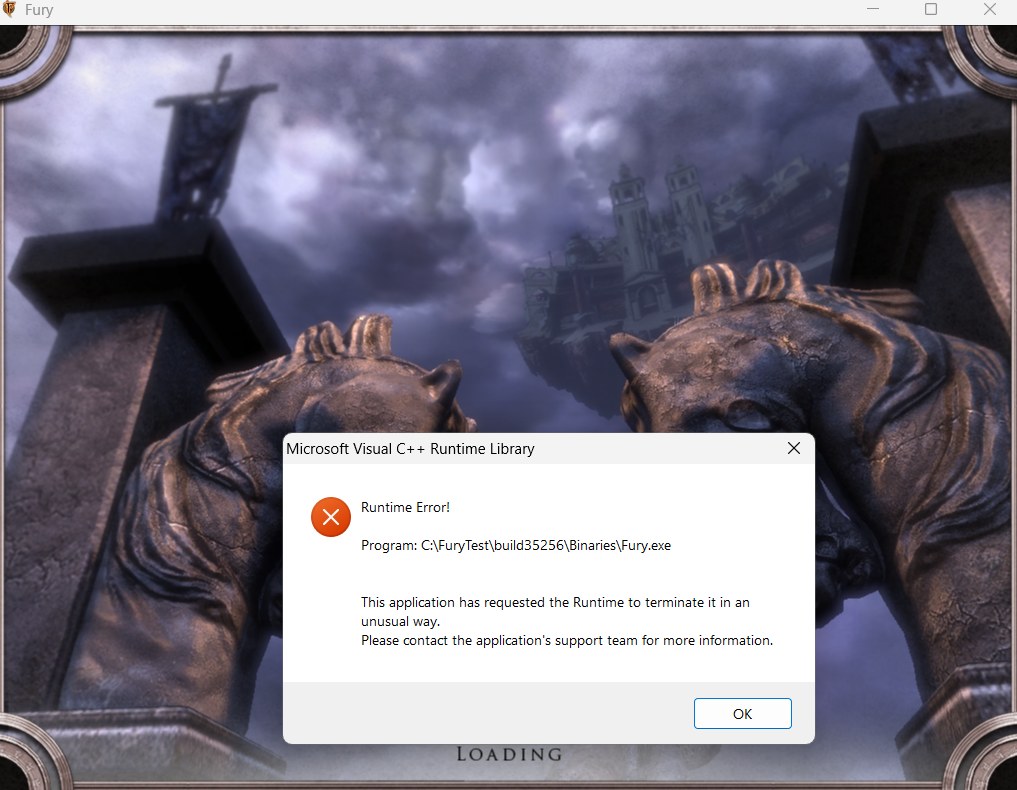
On this copy, every one of those words gets treated as the name of an area to load.
Fury.exe server goes hunting for an area called “server”, can’t find it, writes
a crash report, and relaunches the updater. Fury.exe editor looks for an area
called “editor” and throws this up instead:
Same deal for the “check my game files aren’t corrupt” mode I wanted to test. Looks for an area called “check”. Crash.
So the whole commandlet system is switched off in this version. The instructions for those modes are still sitting in the game’s text files, because that part comes free with the engine, but the actual machinery behind them has been pulled out. Which honestly makes sense. This is the copy they shipped to players, and the studio did not want players opening the level editor or running their own servers, so they bricked those doors before release.
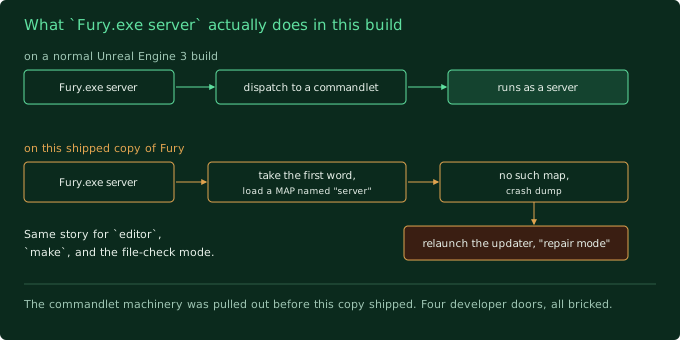
Fury.exe server dispatches to a commandlet. On this copy it takes the word “server” as a map name, fails to find it, crashes, and relaunches the updater in repair mode. Same for editor and make.
Last post I said the client “has the server inside it”, because the audit found server code and a full server configuration baked into the program file. That’s still true. The code is in there. I just can’t get to it by typing a magic word. If the server ever runs again it’s going to be code I rebuild from the readable script, or a setup where one player’s game quietly hosts the match for everyone else (this engine has a mode for that, it’s called a listen server), not a secret switch on this file.
Small consolation from all the crashing: I now know exactly what Fury does when
it panics. It writes a crash file called fury-v35256.dmp and then relaunches
its own updater with an “error corrupt-files” flag, which is the “go re-download
your broken files” path. So if that updater window ever pops up while I’m testing
and I didn’t ask for it, that’s what happened. It’s not a real “your files are
broken” alarm, it’s just the game giving up and passing me to the repair tool.
What I learned
- The client is in way better shape than it has any right to be. A 16-year-old game, cold-booting on a modern PC and running a real gameplay screen with menus and animation, no effort required. Whatever ends up being hard about this project, “get the client working” mostly isn’t it. Did not expect to be saying that this early.
- Shipped games get their back doors welded shut. The code can be sitting
right there in the file and still be impossible to reach. I was treating
serverandeditoras a “does the old code still run” question. The real answer was “that entrance was bricked up on purpose in 2008”. - A screenshot beats a log. The diary for the character screen is like ten lines, and on their own I could’ve convinced myself I was misreading them. The picture isn’t up for argument.
- My plan pointed at a door that isn’t there. The roadmap literally said “get
one match running on a local server using
Fury.exe server”. That command does not exist. I’ve written the fix down for later instead of walking into it in a month.
Next up
Two experiments left on this list, and they’re the ones that decide what the rest of this project even is:
- Point the game’s login at a tiny program I control. Just something that accepts the connection and prints whatever the game sends, so I can finally see what the very first message of the conversation looks like.
- The big one. Hand-build the game’s startup line, point the “which server do I talk to” part at a fake one I wrote, aim it at a local game, and find out whether a player can get into a real match with the scary custom login layer cut completely out of the loop.
If that second one works, the hardest part of this whole project becomes optional. If it doesn’t, I’m buying a disassembler and learning to read machine code. Either way, that’s the next post.